FAQ.
Where does my data go?
The .xlsx file itself stays on disk — no GridPath
cloud, no upload, no third-party server in the middle. What does
flow to the LLM provider you've signed in with (Anthropic for
Claude, OpenAI for ChatGPT) is your prompt, sheet structure, and
whatever cells the agent reads or writes during the run. Same
shape and same privacy terms as using that provider's product
directly. See Privacy for the long version.
How do you charge?
GridPath connects to your Claude or ChatGPT subscription —
you pay the LLM provider whatever you already pay them, and nothing
extra to us.
Does it preserve Excel charts and formatting?
Yes — but with one honest caveat. Saves are surgical: a
native patcher rewrites only the cells and structure the agent
actually changed inside the original .xlsx package.
That means everything else — charts, conditional
formatting rules, named ranges, data validation, merged cells,
drawings, freeze panes, pivot tables, themes — comes out
byte-identical. Open the file in Excel after and it looks exactly
like it did before, plus your new edits. Every save is also checked
against Excel's strict format rules before it's written —
if the output wouldn't open cleanly, GridPath refuses to write it.
And for the rare edit the patcher can't represent, GridPath never
silently overwrites a file with content at risk — it names exactly
what a reduced-fidelity copy would lose and leaves the original
untouched. More on how surgical saves work.
The caveat: GridPath's in-app grid (built on
Univer)
doesn't visually render charts, conditional-formatting
coloring, drawings, or pivot tables while you're editing. They're
fully intact in the file — just not painted on screen inside our
app. The agent still respects merged cells, freeze panes, and
named ranges natively. If your workflow needs to see chart
updates live, do that pass in Excel; if it's structural / formula
work, GridPath is faster.
Can I undo an agent's changes?
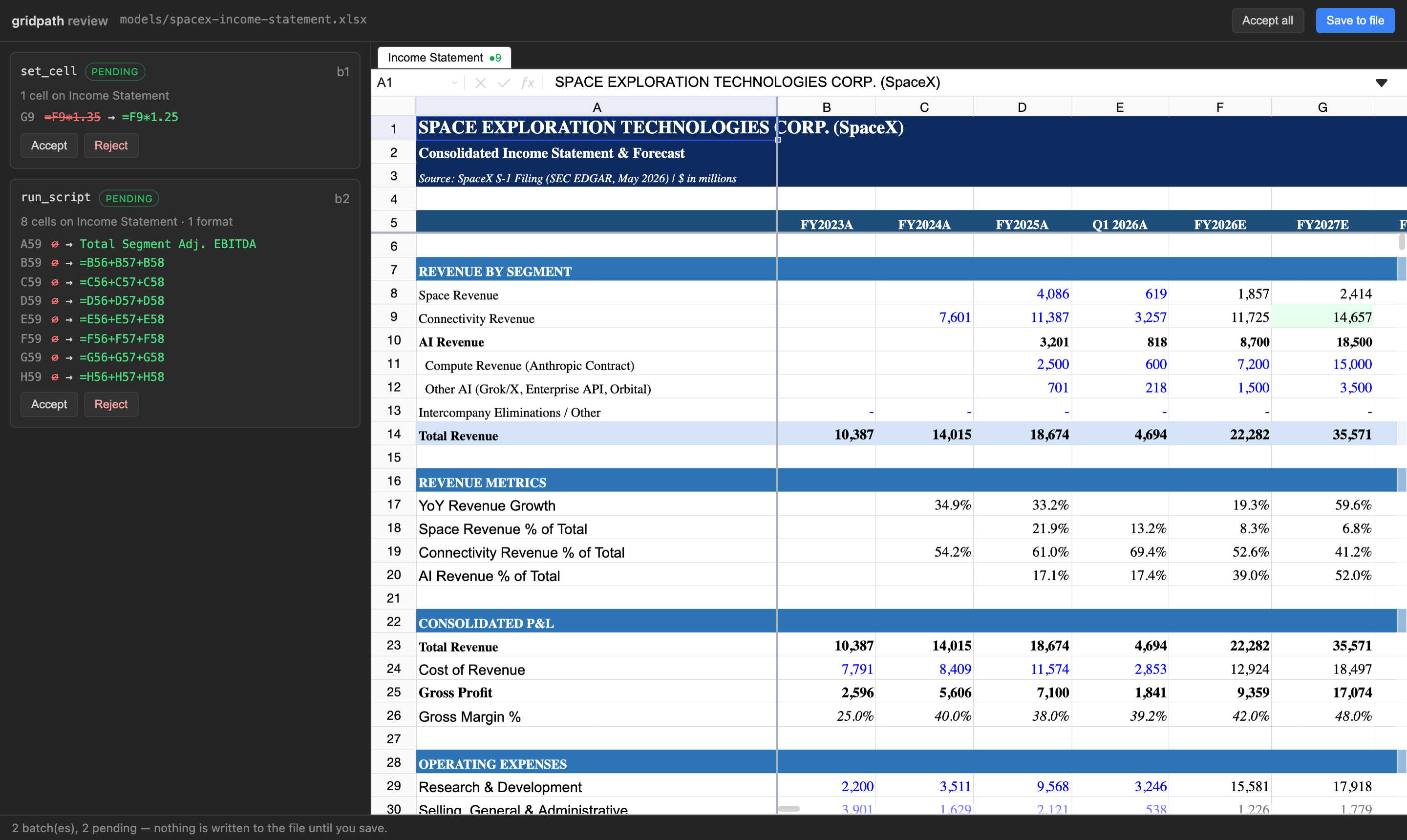
Three ways. (1) Reject the proposed batch before it
commits — nothing touches the file. (2) ⌘Z to undo
accepted changes within the session. (3) After save,
we keep a .bak with the previous state for one-step
recovery, even after reopening.
Why not just point ChatGPT or a CLI coding agent at my file?
You can, and for some tasks it works. The problem is what you
can't see. A general-purpose agent edits your workbook by loading
it through a spreadsheet library, mutating it, and writing the
whole file back out — and anything the library doesn't model
(plugin data, printer settings, and in real files much more)
silently vanishes on the way through. The agent can't warn you,
because its tools never showed it that content existed. We
benchmarked this with the
same Claude model on both sides, twice: on our test workbook the
CLI agent dropped file content in 5 of 5 runs on the older model
generation and 2 of 5 on the next — reporting success every
time — yet on a big intimidating bank model it chose a careful
manual approach and preserved everything. By September 2026, on
Sonnet 5.5, it preserved everything in all of our runs. Its
safety is a per-file judgment call that keeps improving; it is
not a guarantee. GridPath saves through a
surgical patcher instead — everything you didn't touch is copied
byte-for-byte, every run, on every file, by architecture rather
than by judgment.
How is it different from Excel Copilot?
Excel Copilot is a single-turn assistant inside Excel. GridPath runs
a multi-turn agent loop — fetch web data, write 58 rows,
apply 64 formatting ops, fix its own formula errors — across 10–15
tool calls per prompt, until the model is genuinely done. Plus you
pick the underlying LLM and review every edit before it lands.
Which file formats are supported?
.xlsx today. .xls, .csv, and
Google Sheets via API are on the roadmap.
Can the agent work across multiple spreadsheets?
Yes, two ways. Open several workbooks in tabs — each gets its own
agent session, running in parallel. And within a session, attach up
to 5 other .xlsx files as read-only
references: the agent sees a compact preview of each and
reads exact ranges on demand, so it can compare your model against
an analyst's, pull assumptions from last quarter's file, or
cross-check comps — without you copy-pasting anything between
windows.
Reference files are never modified, and only the cells the agent
actually reads go to the model — which keeps prompts small and
turns fast, even with several large workbooks attached.
Does the agent know about formulas across sheets?
Yes. Cross-sheet references (=Sheet2!A1) work natively,
and renaming a sheet auto-updates references in other sheets.
External workbook links (=[Other.xlsx]Sheet1!A1) survive
as cached values but don't recompute live — same limit Google Sheets has.
What platforms?
macOS (Apple Silicon, macOS 12+) and Windows (10/11). Linux is on
the roadmap. The source is public
on GitHub
under the Functional Source License (FSL-1.1-Apache-2.0): read, fork
and run it for any non-competing use, and each release becomes
Apache 2.0 two years after publication.